GameLauncher

GameLauncher

GameLauncher

A professional desktop game launcher built with WPF and .NET 9, featuring modular architecture, subscription system, and automatic updates.

WPF.NET 9C#Entity Framework CorePostgreSQLPrismGoogle Drive API

Overview

GameLauncher is a professionally designed desktop game launcher developed using modern .NET 9 technologies and WPF. The project demonstrates deep understanding of enterprise architecture, design patterns, and best practices for corporate software development.

The launcher provides:

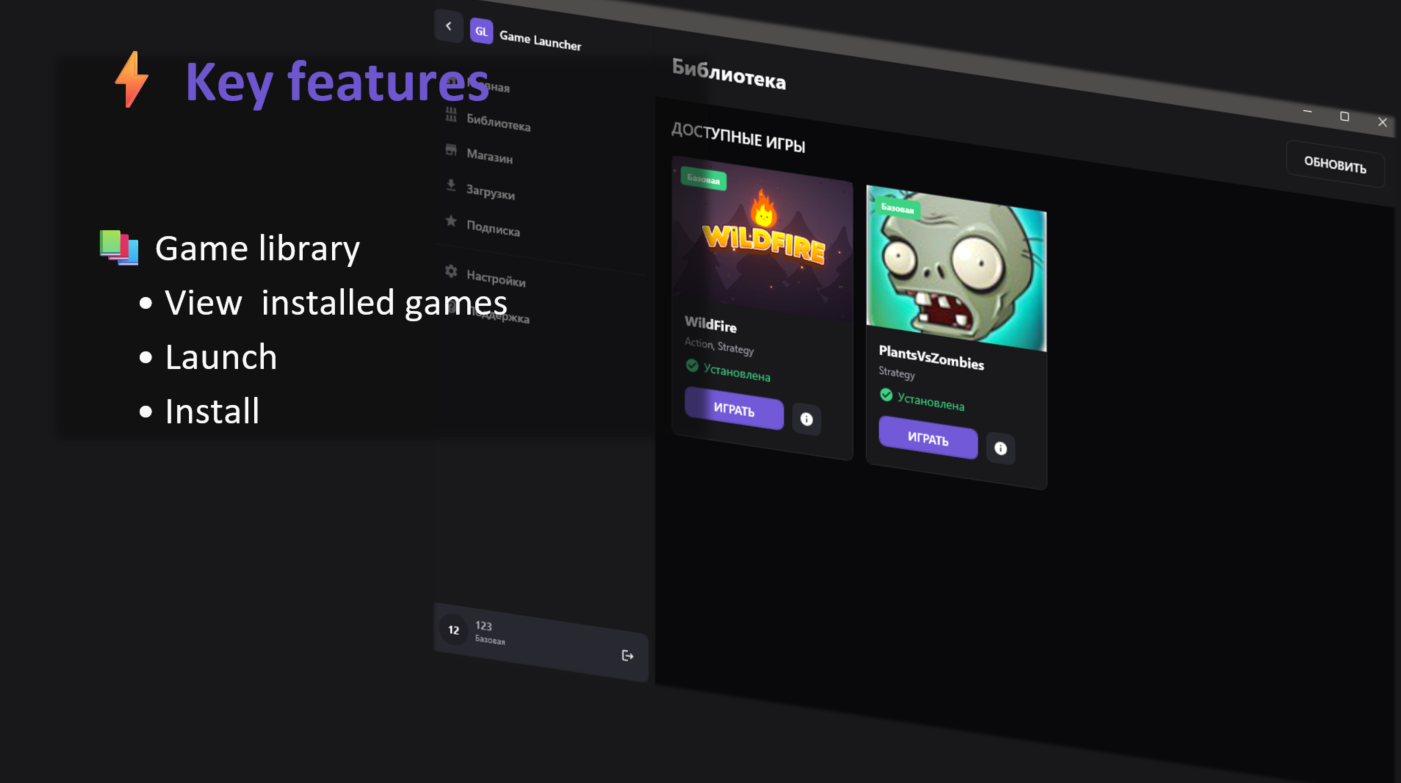
  • Game Library — centralized management of game collections
  • Subscription System — flexible content access model
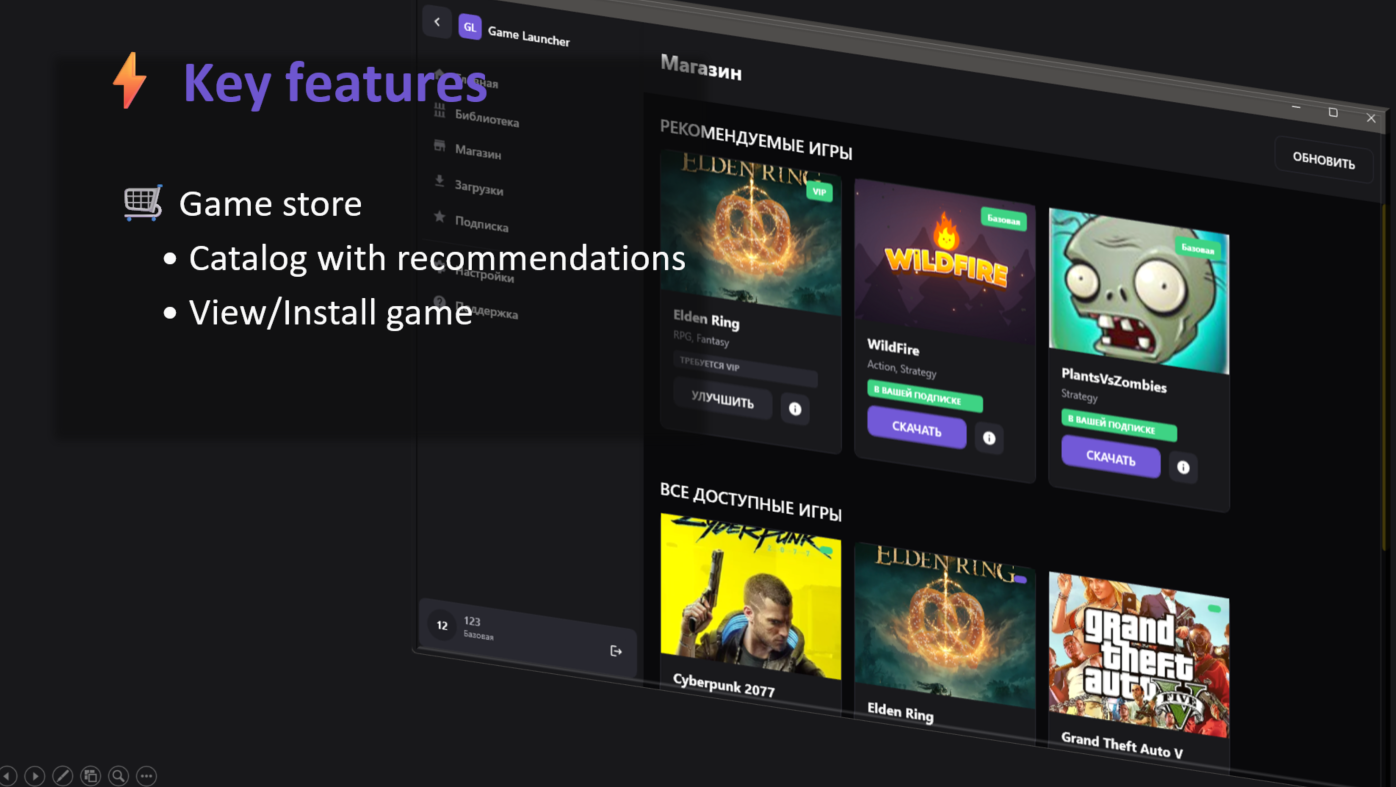
  • Game Store — browsing and purchasing new games
  • Automatic Updates — incremental updates via CRC32 hashing
  • Multi-threaded Downloads — parallel download of up to 3 games simultaneously
  • Dark/Light Theme — customizable interface
  • Google Drive Integration — cloud storage for game files
Architecture

Modular Project Structure

GameLauncher.sln
│
├── GameLauncher/                    # Main WPF application (Shell)
├── GameLauncher.Shared/             # Shared models, services, converters
├── GameLauncher.DB.Postgres/        # Data access layer
├── Modules/
│   ├── GameLauncher.Modules.Auth/   # Authentication module
│   └── GameLauncher.Modules.Launcher/ # Main launcher module
└── Crc32HashCalculator/             # Hash generation utility

Applied Architectural Patterns

1. MVVM (Model-View-ViewModel)

Strict separation of UI and business logic using Prism Framework:

  • BaseViewModel — base class with INotifyPropertyChanged support
  • DelegateCommand — commands with CanExecute support
  • INavigationAware — lifecycle management for ViewModels

2. Modular Architecture (Prism Modules)

Each functional block is isolated in a separate module.

3. Unit of Work + Repository Pattern

Transaction management and data access abstraction.

4. Dependency Injection (IoC)

Full dependency injection through Unity Container.

5. Factory Pattern

DbContext creation through factory.

Technology Stack

Backend / Core

TechnologyVersionPurpose
.NET9.0Platform
C#12Programming Language
Entity Framework Core9.0.4ORM
PostgreSQL + Npgsql17.0 / 9.0.4Database
BCrypt.Net1.6.0Password Hashing

Frontend / UI

TechnologyVersionPurpose
WPF.NET 9UI Framework
Prism9.0.537MVVM + Modularity
XAML-Interface Markup

Infrastructure

TechnologyVersionPurpose
Google Drive API1.69.0Cloud Storage
NLog5.4.0Logging
Newtonsoft.Json-Serialization
System.IO.Hashing-CRC32 Calculations

Key Features

For Users

  • Game Library — centralized game collection management
  • Subscription System — flexible content access model
  • Game Store — browsing and purchasing new games
  • Automatic Updates — incremental updates via CRC32 hashing
  • Multi-threaded Downloads — parallel download of up to 3 games
  • Dark/Light Theme — customizable interface
  • Google Drive Integration — cloud storage for game files
For Developers/Business

  • Subscription Model — monetization through access levels
  • Centralized Updates — push updates without client rebuilds
  • User Analytics — tracking libraries and activity
  • Scalable Architecture — easy addition of new modules

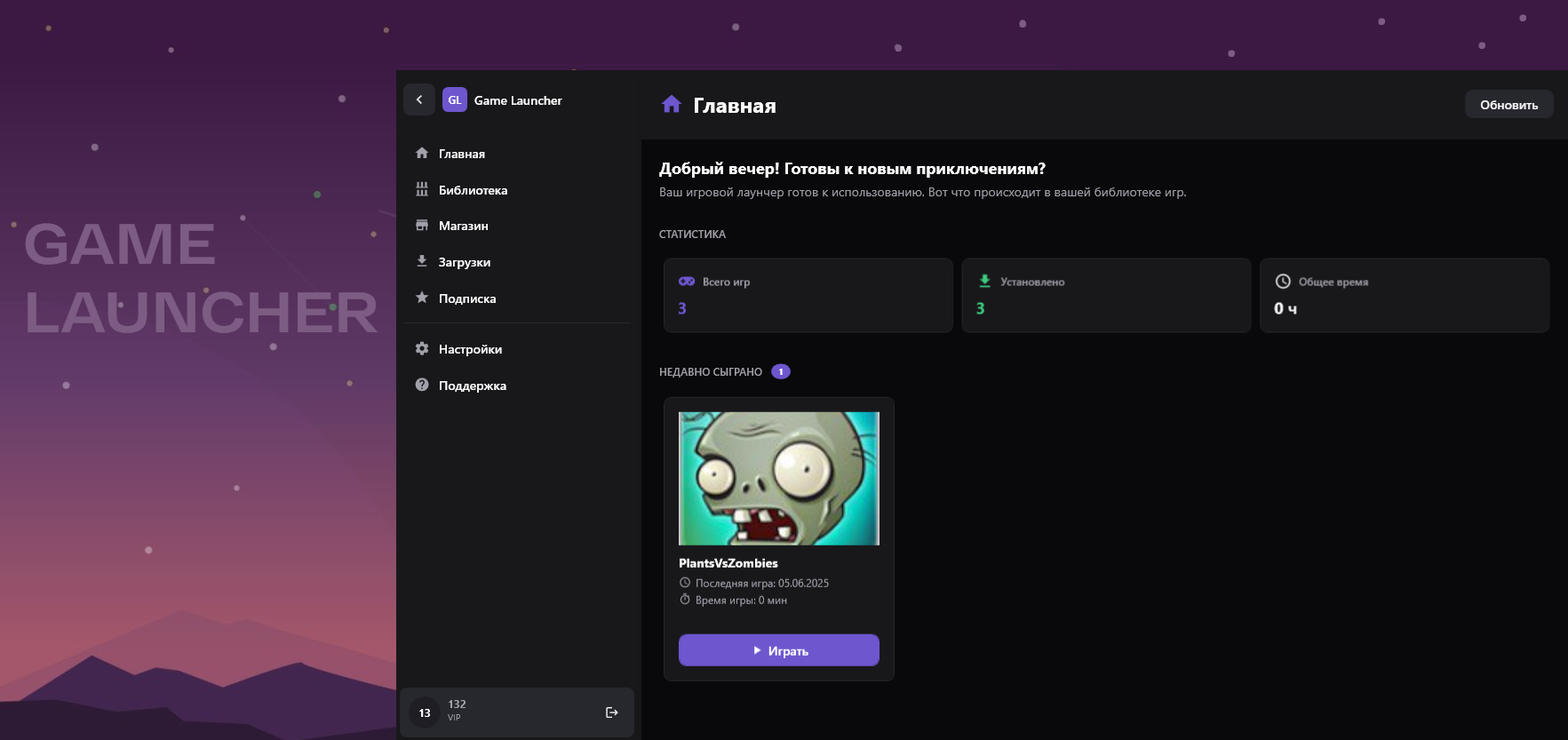
Library View

Store Page

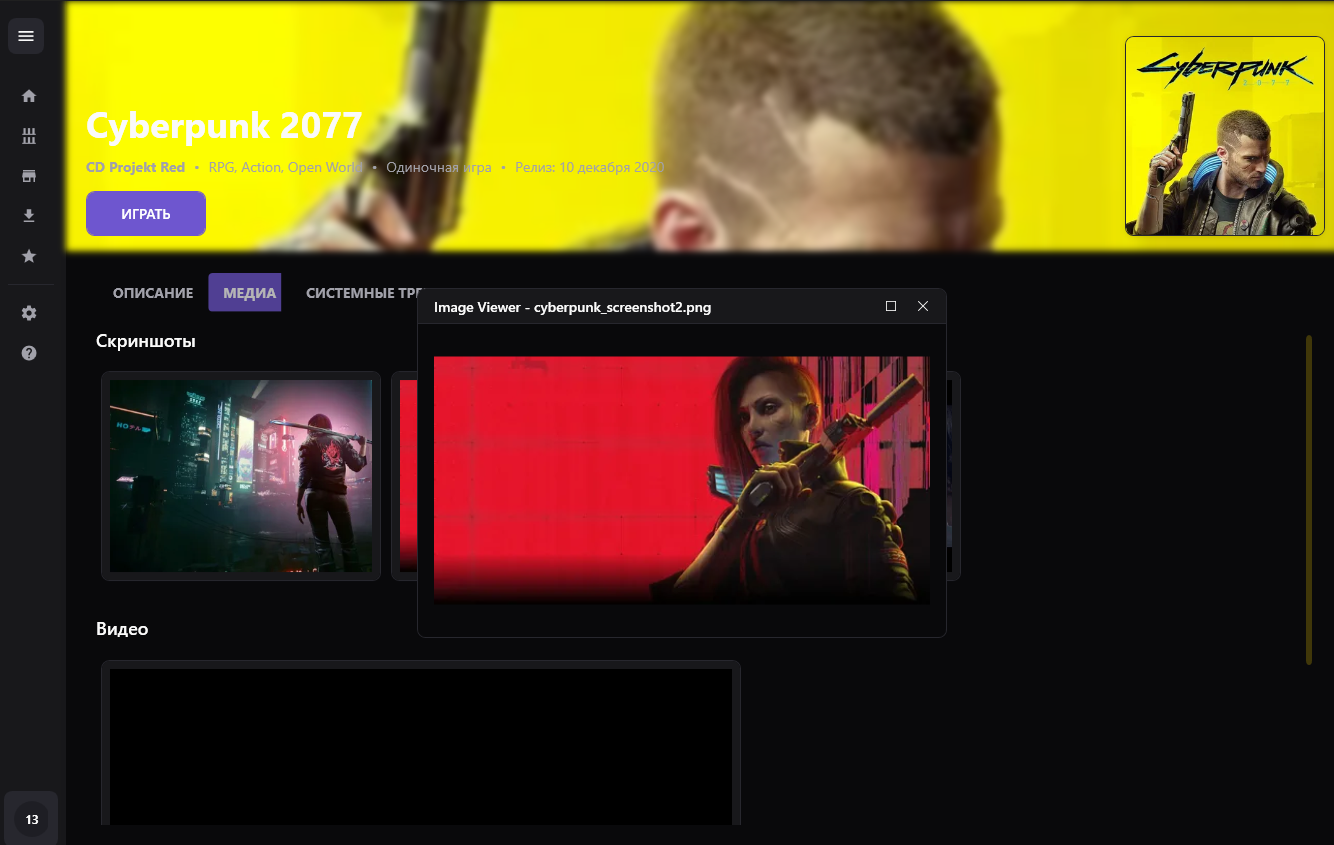
Game Details

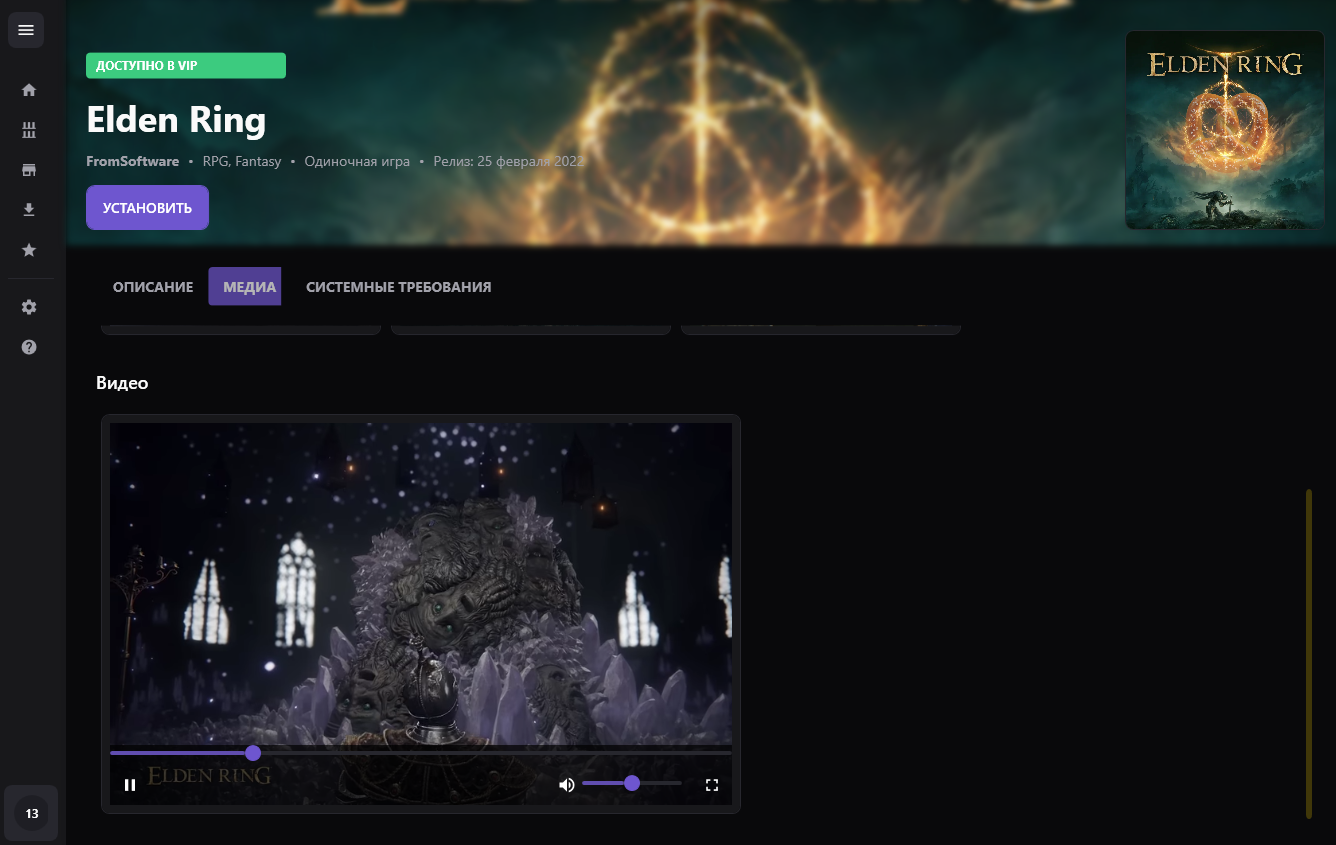
Game Details Video

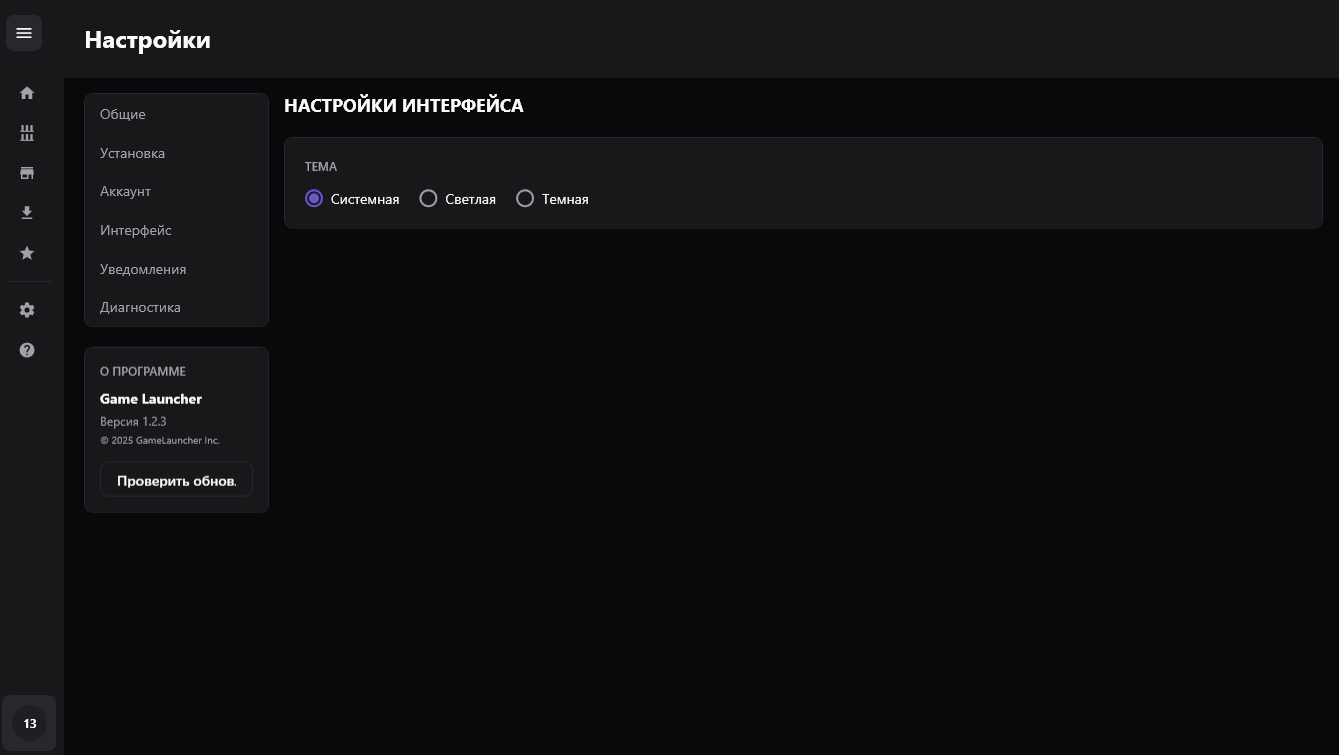
Theme Settings

Technical Solutions

1. Incremental Update System

Developed a custom update system based on CRC32 hashes for efficient updates.

Advantages:

  • Download only changed files
  • Up to 90% traffic savings
  • Fast determination of update necessity

2. Multi-threaded Download Queue

public class GameDownloadService
{
    private const int MaxConcurrentDownloads = 3;
    private readonly SemaphoreSlim _downloadSemaphore;
    private readonly ConcurrentQueue<Game> _downloadQueue;
    // Tracking speed and progress
    private readonly ConcurrentDictionary<int, Stopwatch> _downloadStopwatches;
}

Implemented:

  • Parallel downloads with semaphore limiting
  • Cancellation via CancellationToken
  • Real-time download speed calculation
  • Event-driven progress notifications

3. Secure Authentication

Using BCrypt for password verification and secure credential storage.

4. Flexible Theme System

Dynamic theme switching with ResourceDictionary management.

Data Model

Main Entities

┌─────────────────┐     ┌──────────────────┐     ┌────────────────────┐
│   UserAccount   │────>│ UserSubscription │<────│  SubscriptionTier  │
└─────────────────┘     └──────────────────┘     └────────────────────┘
        │                                                  │
        v                                                  v
┌─────────────────┐                              ┌─────────────────┐
│    UserGame     │─────────────────────────────>│      Game       │
└─────────────────┘                              └─────────────────┘
                                                         │
                                   ┌─────────────────────┼─────────────────────┐
                                   v                     v                     v
                          ┌─────────────┐       ┌─────────────┐       ┌─────────────┐
                          │  GameMedia  │       │  GameGenre  │       │SystemRequir.│
                          └─────────────┘       └─────────────┘       └─────────────┘

Entity Framework Configuration

Proper UTC conversion and composite keys for junction tables.

Code Quality

Applied Practices

  • SOLID Principles — especially SRP and DIP
  • Asynchronous Programming — async/await everywhere
  • Nullable Reference Types — enabled in project
  • Centralized Logging — NLog with configuration
  • Graceful Cancellation — CancellationToken in all operations
  • Resource Management — IDisposable and using patterns
  • Thread-safe Collections — Concurrent* for multi-threading

ViewModel Structure

public abstract class BaseViewModel : BindableBase
{
    protected static readonly Logger Logger = LogManager.GetCurrentClassLogger();

    protected void RunOnUiThread(Action action)
    {
        if (Application.Current.Dispatcher.CheckAccess())
            action();
        else
            Application.Current.Dispatcher.Invoke(action);
    }
}